Turn expertise into education at scale

Customer education strategy, production, and technology for software companies that ship fast.

  • Get customers to value sooner,
  • reduce support tickets,
  • and strengthen renewals.
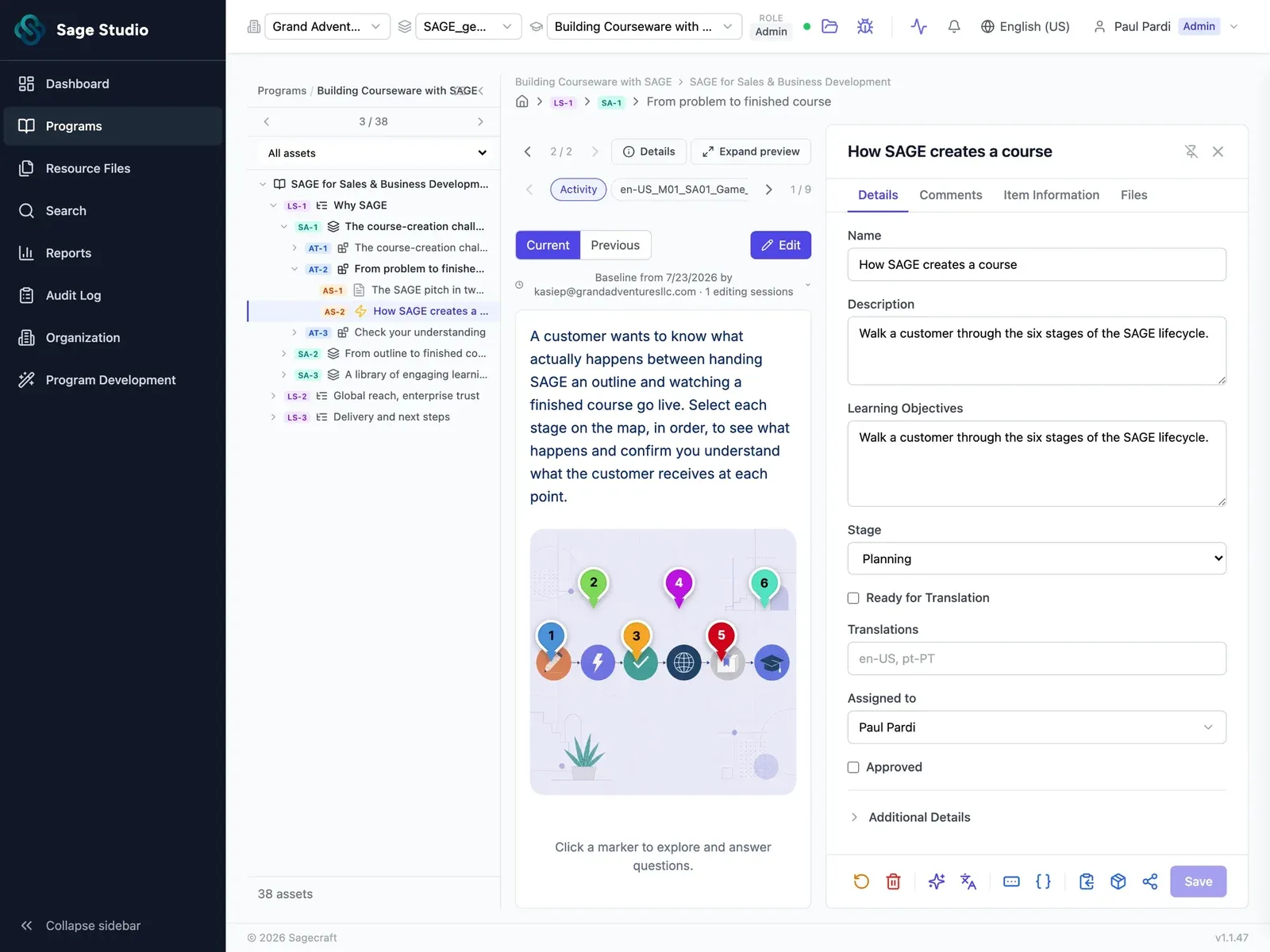
Sage Studio on a laptop: an interactive activity open for editing, with its details panel for name, description, learning objectives, stage, translations and assignee.

From the team behind learning at

  • Microsoft
  • PayPal
  • Apple
  • IBM

Your product ships every two weeks. Now, so does your academy.

Meet Sage Studio

The craft AI is missing, at the scale AI promises. The platform that turns every launch, release, and change into interactive learning experiences and keeps them current as you ship.

01 / 04

Design

The upfront design work is what separates a good course from a forgettable one, and it's the easiest to shortcut.

Start every learning experience with clear objectives and a tight scope, so it's on solid ground before the first asset is built.
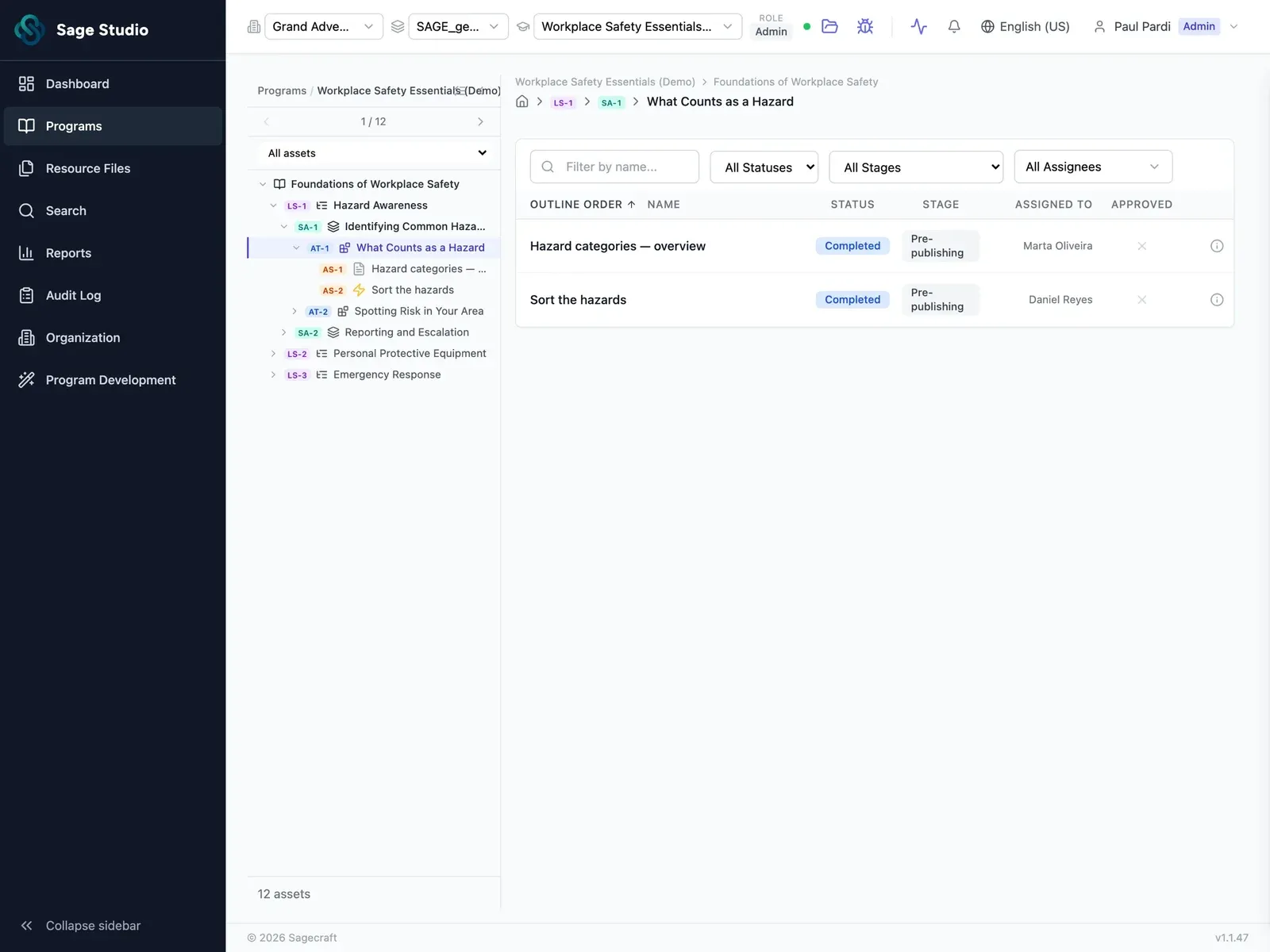
Sage Studio workspace: a program outline in the left panel, with a lesson open and its assets listed by status, stage and assignee.
02 / 04

Build

Every release means building lessons, scripts, quizzes, and activities one piece at a time.

Draft every asset at once, grounded in your product docs and written in your voice.

Sage Studio asset view: an interactive activity previewed in the middle, with its name, description, learning objectives and stage in a details panel.
03 / 04

Refine

By the third round of review, nobody's sure which version is current.

Comment on the exact asset, fix it in place, and keep every version.

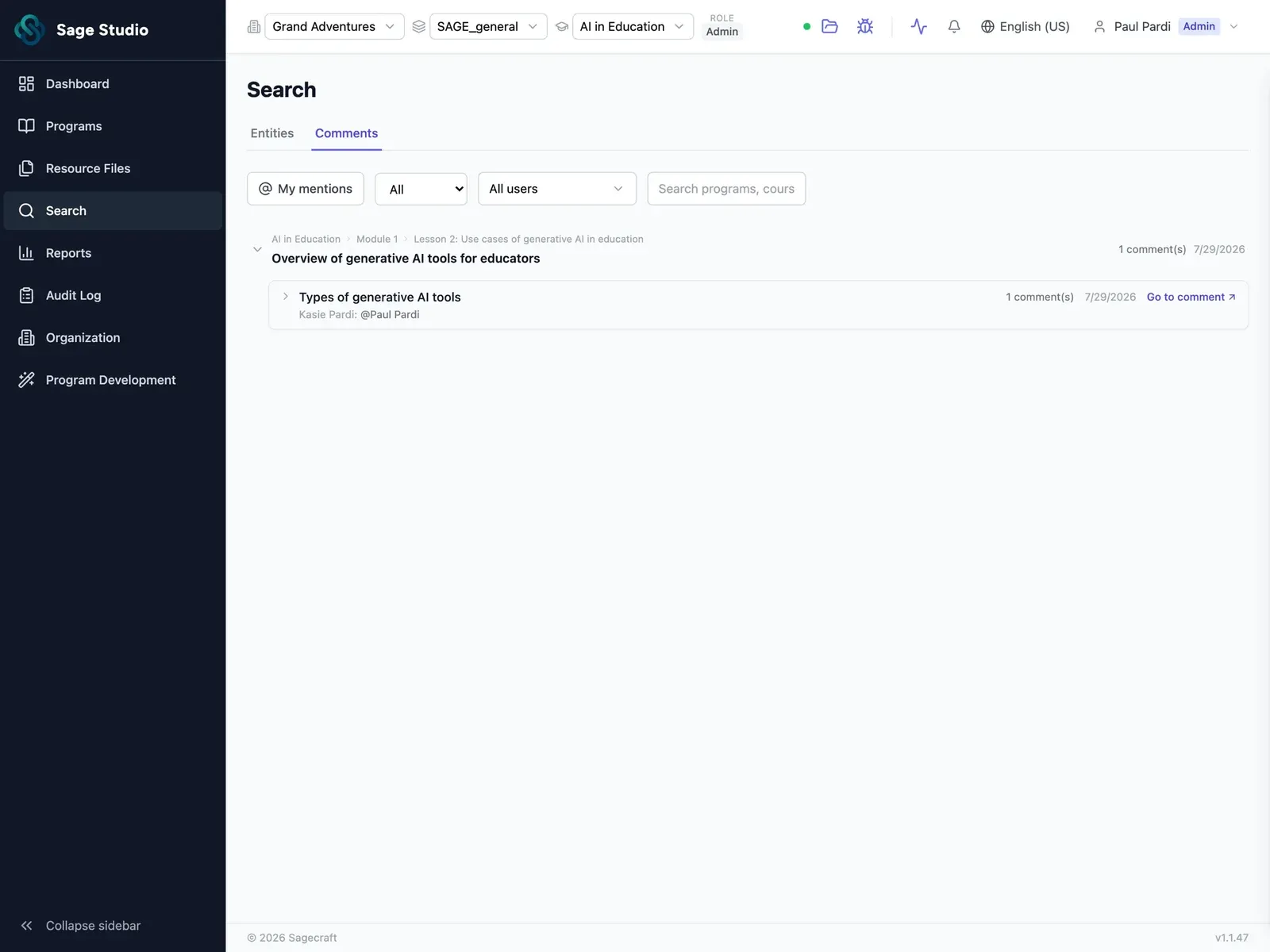
Sage Studio comments view: review comments listed against the specific lesson and asset they belong to, with mentions.
04 / 04

Publish

The moment a customer needs help, they're rarely in your LMS.

Embed any asset right where customers get stuck, and update it once everywhere it's linked. Or package the whole learning experience for your academy.

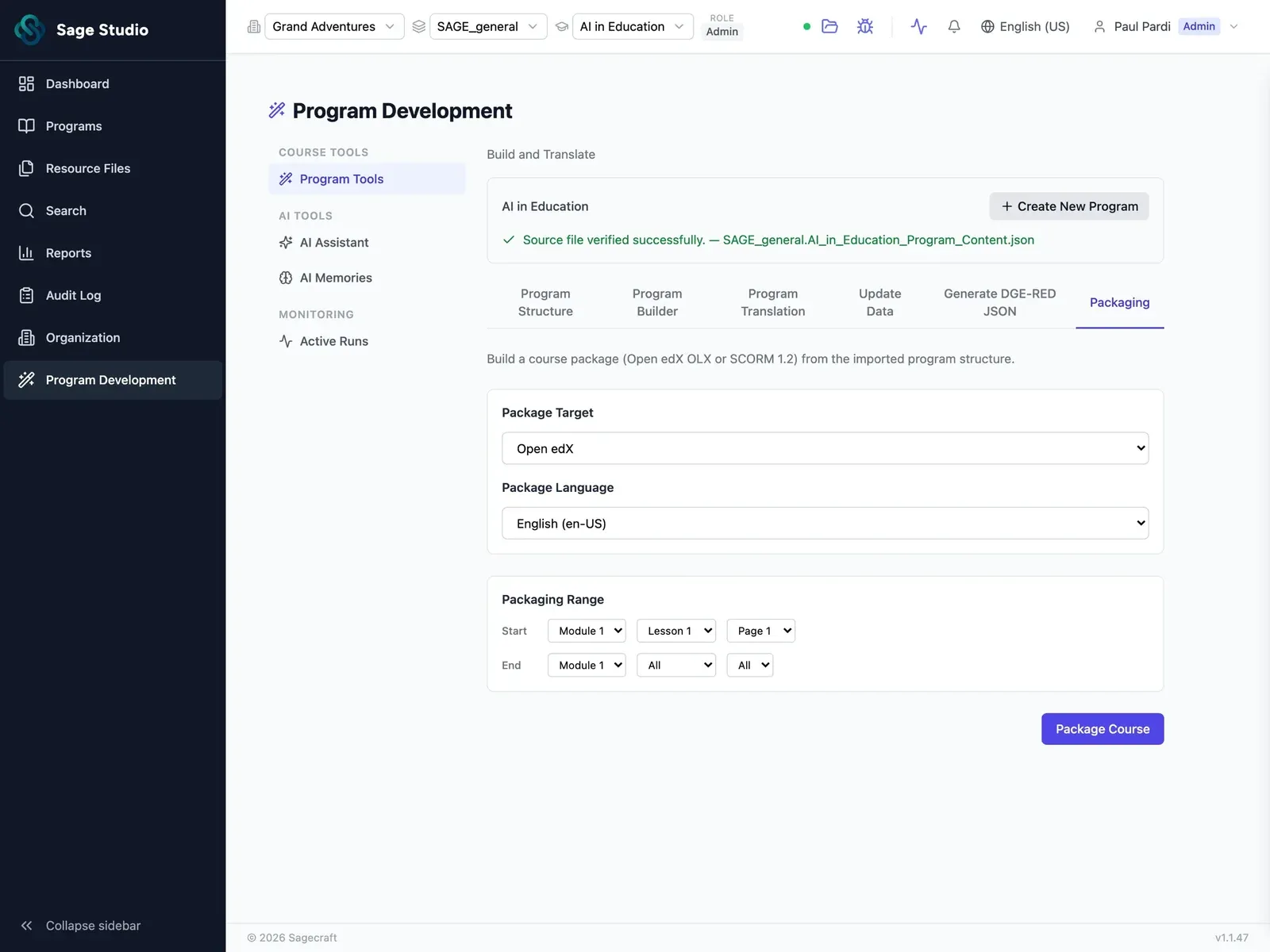
Sage Studio packaging screen: choose the package target and language, set the range of modules and lessons, then package the course.

Scattered by default

This is what eight separate tools look like when one feature ships.

Together by design

One system, from source to shipped. Every phase of the work lives in one place, so nothing gets lost in between.

150 learning experiences. Under six months.

The usual answer was to hire close to 100 people. Sage Studio turned it from a staffing problem into a production problem the team could manage.

150

learning experiences

16,000+

assets

to build and review

<6 months

Built by people who've done this work

Our team brings 35+ years of experience creating learning for some of the world's most innovative companies. We've seen what slows it down: the missed reviews, the shifting requirements, the endless "final" drafts. Sage Studio is built on what we've learned.

FAQ

Yes. Sage Studio packages finished learning experiences for the academy you already run, and you can embed any asset directly in your help center or product.

Most AI tools start from scratch every time. Sage Studio learns your standards, voice, and structure once, and applies them to every asset, from first outline through review. It also isn't tied to one LMS: build once, and publish wherever your customers learn.

Whatever you already have: product docs, release notes, slide decks, PDFs, SME notes, transcripts. Any file type works, and you can connect live sources and link your style guides.

Update an asset once, and it updates everywhere it's linked. For learning experiences packaged for your LMS, update them in Sage Studio and export them again.

Yes. We can build your learning experiences for you, or help you plan them and set your standards. See Services.

You own everything you upload and everything you create in Sage Studio. Your content and source files are never used to train AI models. Each customer's data is stored separately, and roles for admins, designers, reviewers, and SMEs control who can see and edit what. See Security.

The AI-native platform for customer education.

See Sage Studio in action

Pick a time for a 30-minute call with our team, with Sage Studio on screen.

  1. Pick a time
  2. Your details
  3. Done

Choose a day to see open times.